Common questions
In this page, we aims to provide some observed common issues when using PIQUE Lite, and also provide suggestions regarding how to resolve them.
Typical Issue: JSON Input Errors
As discussed in the introduction and in the Input Schema section of the User Guide, PIQUE Lite accepts only specific JSON formats. If the uploaded file does not follow the expected structure, PIQUE Lite will mark it as invalid.
For details about:
- what file formats are supported,
- how to prepare your JSON files, and
- what the required fields look like,
please refer to Input Schema & File Upload Instructions.
For error explanations, such as
- what required fields are missing, -how to interpret the error tooltip, -and how to locate the problematic part of your file,
please review the Input Error Guide, which provides examples and debugging steps.
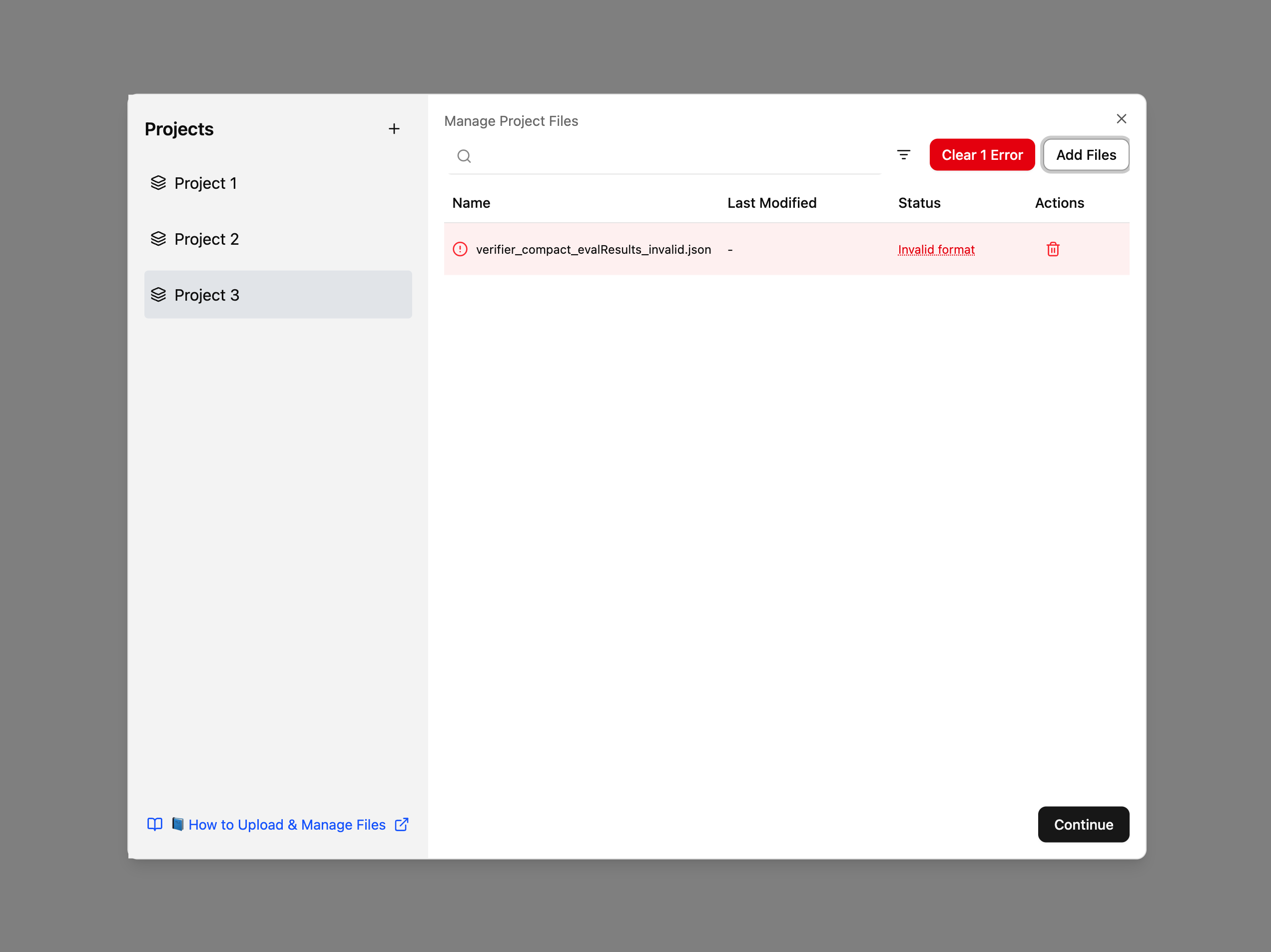
Example: A common scenario is shown below, where the uploaded JSON file does not match the expected schema and appears as Invalid format in the project file list:
Typical Issue: Visual Display or Image Rendering Problems
In some cases, users may experience issues where images, charts, or UI components fail to render correctly (e.g., blank charts, overlapping labels, or missing icons). These issues can occur due to:
- temporary rendering failures in the browser,
- cached assets that did not load correctly, or
- resizing events that interrupted the rendering process.
If this happens, try the following steps:
- Refresh the page.
- Resize the browser window or switch tabs to trigger a rerender.
- Clear your browser cache if the issue persists.
- Ensure that your uploaded data is valid; invalid or incomplete data may also cause some visualizations to fail.
These issues do not affect your project data; they only influence how elements appear on the screen.
Typical Issue: “No Server” — Data Not Persisted After Refresh
PIQUE Lite is a fully front-end application and does not include a backend server. This means:
- All uploaded files and project data are stored only in your browser's local memory.
- If you refresh the page, close your browser, or open PIQUE Lite in a new tab, previously uploaded data will not persist.
- No information is sent to or stored on any external server.
To avoid losing work, remember to save and re-upload your JSON files when needed. Future versions may introduce optional persistence, but the current version resets state on refresh.